
Types
Through the mobile app, you will find different types of filters that will make it easier for you to get specific data.
Search
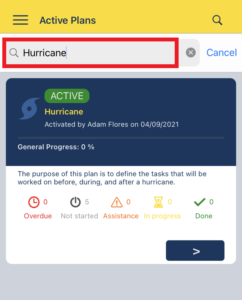
- Click the Search button to unhide the search box.
- Type in the search box to match the items in the list.
- Click the Search button.
Status Button
Overdue Button

- Click the Overdue button to filter by overdue tasks. Refer to Overdue Task.
- Click the Overdue button to clear out the filter.
Not Started Button

- Click the Not Started button to filter by tasks that have not been started. Refer to Not Started Task.
- Click the Not Started button to clear out the filter.
Assistance Button

- Click the Assistancebutton to filter by tasks that requires assistance. Refer to Require Assistance.
- Click the Assistancebutton to clear out the filter.
In Progress Button

- Click the In Progress button to filter by tasks in progress. Refer to Task in Progress.
- Click the In Progress button to clear out the filter.
Done Button

- Click the Done button to filter by completed tasks. Refer to Completed Task.
- Click the Done button to clear out the filter.
Refresh

- Scroll down the screen to update the data.